
Accessible Emergency Alerts: 7-Point Audit for Safety Teams
911Cellular
|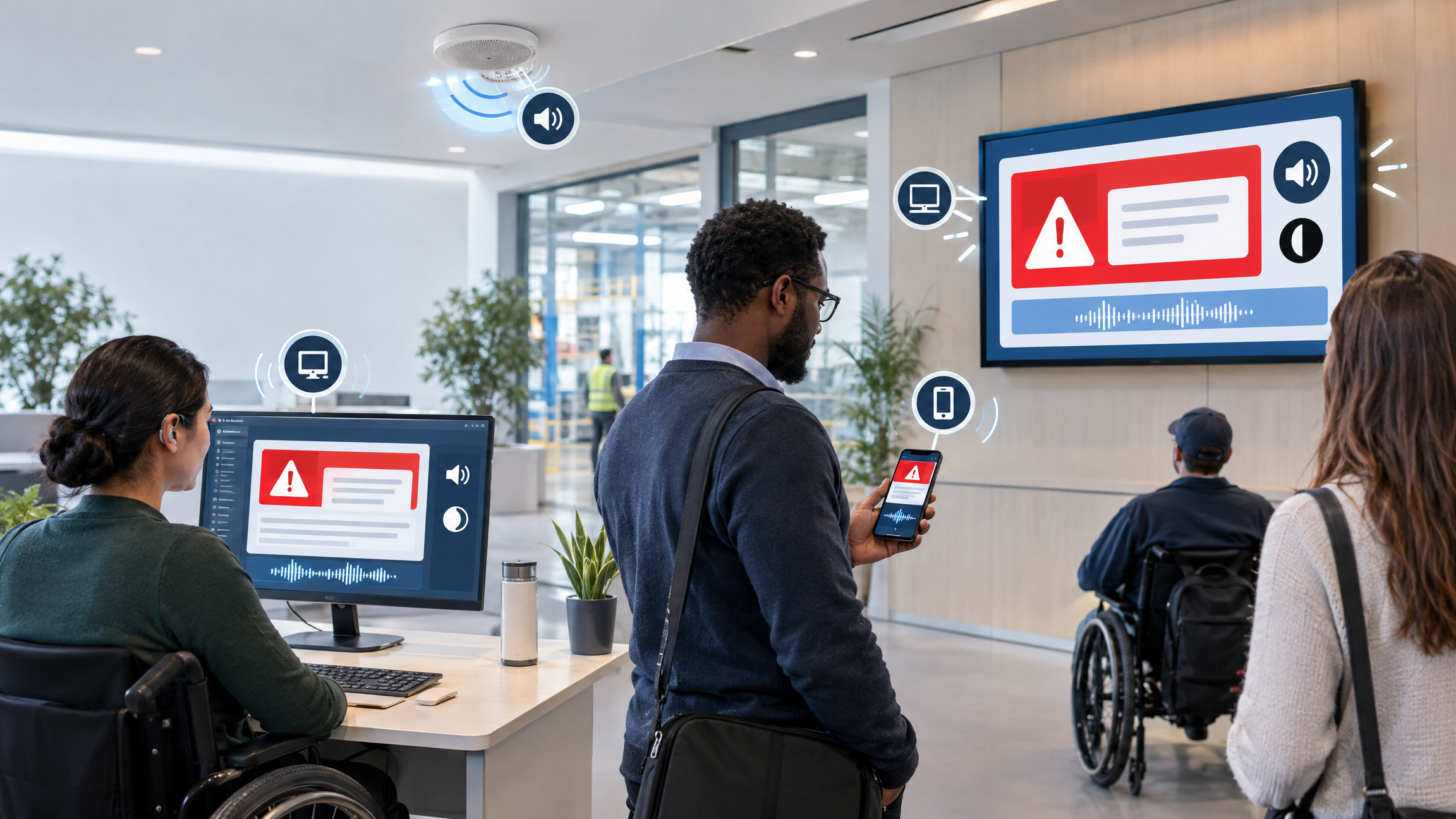
An emergency alert is not effective if a recipient cannot hear it, see it, understand it or act on it. National Preparedness Month is a useful time for safety and communications teams to test more than whether a message was delivered. They should also test whether people can use the information they receive.
Accessibility isn't a feature you can confirm by counting delivery channels. It depends on how the message is written, how each channel presents it and whether people with different communication needs can receive the same protective instructions.
What Does Emergency Alert Accessibility Require?
Emergency alert accessibility means delivering the same essential warning and protective action through formats people with different hearing, vision, cognitive and communication needs can use. That generally requires multiple sensory cues, clear language, compatible technology and testing with representative users.
The U.S. Department of Justice recommends that state and local governments use both visual and audible warnings and consider several electronic methods, including calls, text messages and email. FEMA guidance also emphasizes plain language, consistency between text and audio, and care when messages will be converted by text-to-speech tools.
Use the following audit to turn those principles into an operational review.
1. Pair Audible Information With a Visual Equivalent
Sirens, public-address announcements and voice calls may not reach people who are deaf or hard of hearing. Visual-only instructions may not reach people who are blind or have low vision.
For each warning method, identify how the same essential information appears in another usable format. Test whether the action, location and timing remain consistent rather than assuming that a second channel carries the same message.
2. Test the Full Channel Mix
A multi-channel emergency notification system can support broader reach, but channel count alone does not establish accessibility. Review how alerts appear in SMS, email, push notifications, voice calls, desktop messages, websites, public-address systems and other connected endpoints.
Ask what happens when a recipient cannot use one channel, a device is unavailable or an endpoint presents only part of the instruction.
3. Put the Protective Action First
Recipients should not have to work through background information before learning what to do. Begin with the action, then state the hazard, affected location, deadline or duration, and the source of the message.
Use short sentences and familiar words. Avoid unexplained abbreviations, internal codes and vague directions such as “follow normal procedures” unless every audience has recently learned those procedures.
4. Listen to the Text-to-Speech Version
An alert that looks clear on screen may become confusing when software reads it aloud. Test templates with the text-to-speech and screen-reading tools your audiences may use.
Listen for abbreviations pronounced incorrectly, symbols that disappear, awkward punctuation, unclear links and location names that are difficult to understand. Correct the template before it becomes time-sensitive.
5. Explain Maps, Images and Visual Cues in Words
Do not make a map, color or flashing indicator the only source of an instruction. Include enough text or audio to explain the affected area, route, boundary or status represented visually.
This principle also applies to follow-up messages. If a development in the incident or emergency changes the protective action, state that change directly in the alert.
6. Include People With Disabilities in Testing
Automated checks cannot show whether a person can understand an alert under realistic conditions. Invite employees, students, community members or accessibility specialists with varied disabilities to review templates and participate in appropriate exercises.
Ask what was noticeable, what was understandable and what action the person believed they should take. Use the feedback to improve the broader inclusive emergency response strategy, not to make assumptions about every person with a similar disability.
7. Record Gaps, Owners and Retest Dates
Treat accessibility findings like other preparedness findings. Record the barrier, the affected audience or channel, the corrective action, the responsible owner and the date it will be tested again.
This keeps accessibility connected to the organization’s critical incident management strategy instead of leaving it as a one-time communications review. Accessibility and language-access testing can happen at the same time, but both need equal attention and follow-through. Multilingual emergency messages require dedicated translation and review, and both workstreams need owners and corrective actions when testing identifies a gap.
Start With One Alert Template
Choose one high-priority scenario and send its template through every intended channel. Read it on screen, listen to it, review any visual elements and test it with representative users. Then assign and retest the corrections.
For state and local government programs, ADA requirements should be reviewed with qualified legal or accessibility professionals. Other organizations may have different obligations based on their sector and jurisdiction. This audit is an operational starting point, not a determination of legal compliance.
Then make the review repeatable. Add accessibility to scheduled alert tests, revisit templates when channels or audiences change, and confirm that completed corrections work in practice. The goal is a preparedness cycle in which every test produces a clearer message, a more usable delivery path and a documented next step.
Related Articles
Stop Campus Hazing Act 2026: What to Verify Before October 1
As colleges and universities prepare to distribute their Annual Security Reports by October 1,...
Oregon SB 537 Requirements: What Healthcare Leaders Should Know
Oregon Senate Bill 537 expanded healthcare workplace violence prevention requirements—and meeting...
Navigating the Approaching N.Y. Pub. Health Law § 2832 Deadlines
On September 18, 2026, N.Y. Public Health Law § 2832 officially takes effect. For general hospitals...
Why Caregiver Safety is Healthcare’s Smartest 2026 Strategy
In 2026, as healthcare executives scrutinize every budget line item against razor-thin margins, one...
Supercharging Healthcare Safety with Intelligent Dispatch Workflows
Managing safety workflows across a complex integrated delivery network, where acute care...