

In this Feature Focus, we’ll touch on App Configuration, which is an incredibly unique and fun feature that allows Administrators to quickly customize their Mobile Safety App in a variety of ways… all completed easily from the 911Cellular Portal. One of the most attractive elements of this feature is that this customization can happen for all Mobile Safety App accounts! This means that even those who did not purchase a white label Mobile Safety App (custom name and icon) can take advantage of these customization tools!
So what exactly can I configure?
Within App Configuration, you can configure your Mobile Safety App to a nearly endless combination of possibilities. Customizable configurations include:
- The default HEX# (color) of your icons
- The HEX# of your panic button
- Your header image
- The number of features within your app
- The order that features appear within your app
- The names of the features within your app
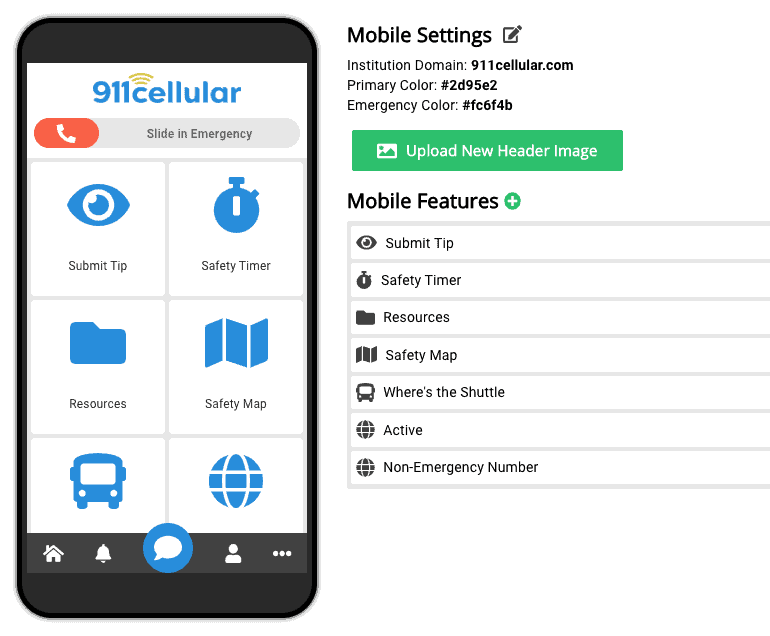
There is no limit to the amount of custom tiles you can create containing either a phone # or URL of your choice. This allows you, as an account Administrator, to keep key community resources and information on the home screen, readily available for all to access.
How does this help my community?
App Configuration puts great power into the hands of community leaders to keep branding, personalization and communication a top priority. Regardless of what industry you may consider yourself a part of, each of your community members is exactly that… a member of your community. It is often a subconscious priority for us to maintain and identify with the things that are associated with our community’s branding, standards and way of communication. As such, App Configuration can give all Mobile Safety App users a feeling of belonging to your specific community, as your customizations will no doubt have your community’s best interest in mind.
For more information on how the Mobile Safety App can help your community stay connected and protected, visit our website.